

Want to rediscover your photo archive while expanding your vocabulary? Here’s an interesting exercise that combines daily vocabulary learning with photo exploration.
The basic process
- Find a new vocabulary word (Take your choice from Merriam-Webster, Dictionary.com, New York Times, or Vocabulary.com.)
- Open Google Photos.
- Search for that word in your photo collection.
- Observe what appears in the results.
I’ve done this in the past with words like encumbered and limpid.
(And also aggressive, fester, clandestine, dearth, obsolescence, brackish, wanderlust, cacophony, pizzazz, gamut, addlepated, resplendent, potpourri, efficient, and sublimate)
Why this exercise is valuable
- Rediscover old memories: This process surfaces photos you might not have seen in years
- Give new life to your archive: Your existing photos gain new meaning when viewed through the lens of specific words
- Understand AI interpretation: It’s fascinating to see how Google Photos’ AI interprets abstract concepts. For example, associating bubble wrap with water, both clear and full of “bubbles.” It’s a playful way to see how AI connects visuals and meanings.
- Encourage daily photography: This exercise validates the habit of photographing anything that catches your eye. Noticing these unique associations can inspire you to capture more everyday scenes. Over time, even the simplest images take on new significance as they’re connected to words and meanings.
- Expand Your Vocabulary: Regular exposure to new words helps them become part of your natural vocabulary.
Tips for documenting your findings
There are several approaches to capturing your results:
Quick screenshot
Take a screenshot of the first few rows of results in Google Photos
- Pros: Easy. Fast. Captures the spontaneity of initial results.
- Cons: Duplicate images. You might miss interesting photos further down in the results.
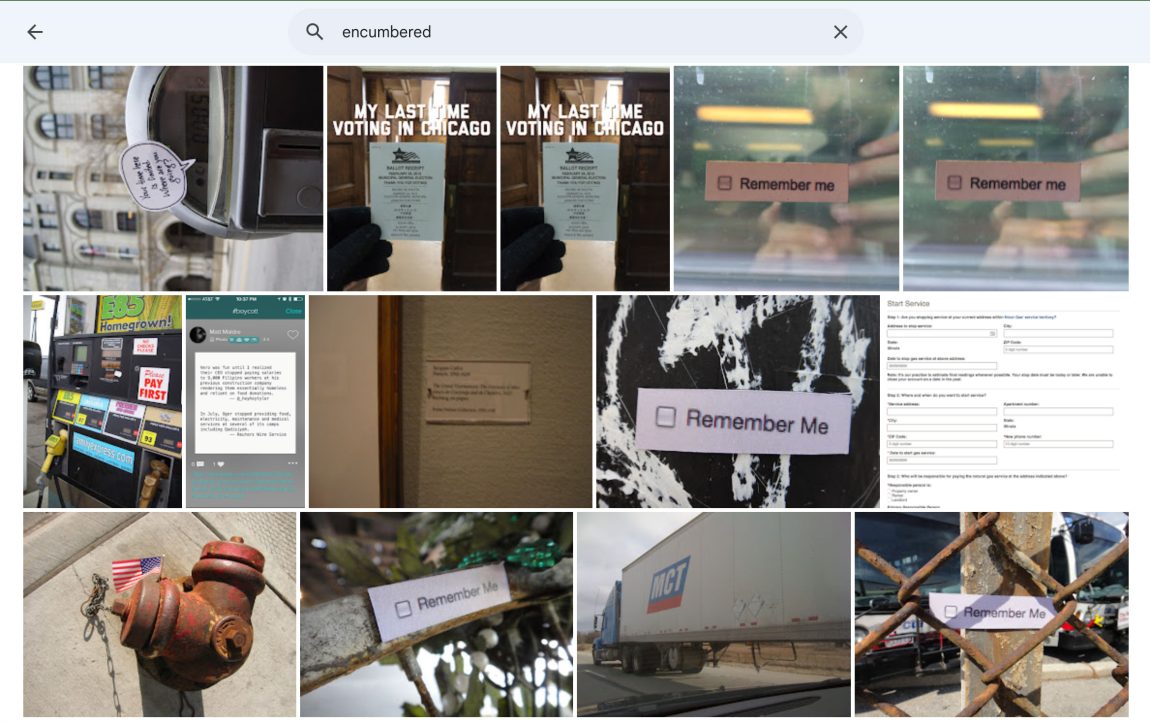
Curated collection method
Create a new album in Google Photos with hand-picked photos from the search. Take a screenshot of your album.
- Pros: Better control over the narrative, higher quality selection. You can pick photos that align closely with the word’s meaning, excluding any irrelevant ones.
- Cons: Takes more time. Loses some of the randomness.

Sharing your results
- Share to social media: You could post a screenshot of your results on social media.
- Reply to one of my “Word of the Day” posts on BlueSky with your screenshot.
- Make a blog post with your images. That way, you can write captions for each photo.
Making it a regular practice
Consider making this a daily or weekly exercise to:
- Build a consistent vocabulary learning habit
- Create an interesting photo journal
- Develop a deeper understanding of your photo archive
- Train yourself to observe the world more carefully
Remember, there’s no “right way” to do this exercise. Experiment with different approaches and have fun.