

Have you ever wondered what your first eBay purchase was? Or how your buying habits have changed over the years? eBay lets you download your entire purchase history, and it goes back further than you might expect—though not quite as far as you’d hope.
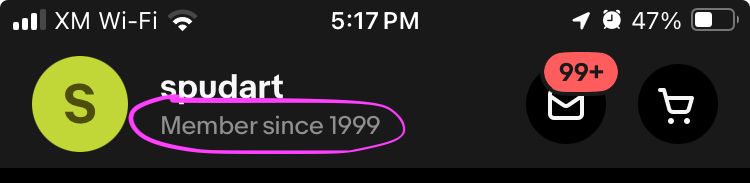
I’ve been a member of eBay since 1999, and curiosity got the best of me. I wanted to see if eBay would give me a list of all my purchases since then. So, I made a request last week. (Granted, their user interface forced me to click the month button 301 times to get back to March 1999.)
I’d heard that it takes about a week for eBay to process and send the data. True enough, exactly one week later, my download was ready.
How far back does eBay’s purchase history go?
After eagerly opening the file, I discovered that my eBay purchase history only goes back to November 2001. There’s no data before that date.

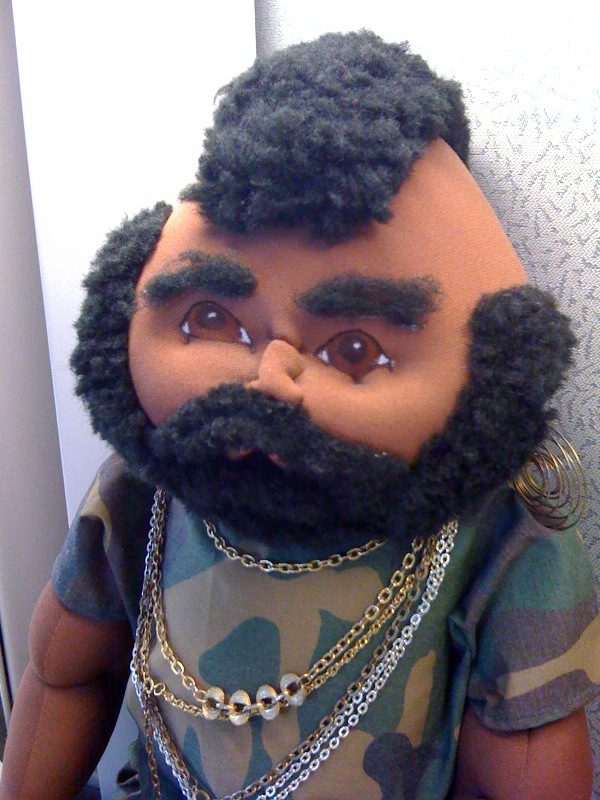
I know for a fact that I bought stuff on eBay before November 2001 because I distinctly remember purchasing a custom-made Mr. T doll in the year 2000. Unfortunately, that piece of personal history isn’t included in the data dump. It seems that eBay’s records start in late 2001, at least for my account.
What information is included in the data dump?
The eBay purchase history download includes the following fields:
- Purchase Date – When you bought the item.
- Item Id – A unique identifier for the product.
- Listing Title – The name of the product as it was listed.
- Individual Price – The cost per item (if more than one was purchased).
- Quantity – How many units you bought.
- Transaction Shipping Fee – How much you paid for shipping.
- Total Price – The total cost of the purchase.
- Currency – The currency used for the transaction. (e.g. “USD”)
- Seller Name – The username of the seller.
When did eBay start tracking each data field?
Interestingly, not all of these fields have been tracked since the beginning. Here’s a breakdown of when eBay started including each field:
November 2001
The following fields are available for purchases made as far back as November 2001:
- Purchase Date
- Item Id
- Listing Title
- Total Price
- Currency
- Seller Name
May 2002
Starting in May 2002, the following fields were added:
- Individual Price
- Quantity
If you made purchases before May 2002, you won’t see the individual price or quantity listed. (However, it might go back to December 2001, as I didn’t buy anything between January and April 2002.)
August 2015
The Transaction Shipping Fee field first appears in August 2015. I’m fairly certain of this start date because my download includes purchases from July 2015, and they don’t have any shipping fee listed, whereas purchases from August 2015 do.
Why download your eBay purchase history?
Looking back at old purchases can be a fun trip down memory lane. It’s fascinating to see how buying habits change over time. It can also be a useful way to track spending, recall favorite sellers, or even spark nostalgia.
For me, it was a reminder of my early eBay days, like my interest in comic books and CDs in the early 2000s. And the range of baseball cards I’ve purchased over the years, like this 1984 Fleer Tim Foli with Bible verse inscription of Romans 8:28

How to request your eBay purchase history
If you want to see your eBay purchase history, here’s how to do it:
- Go to the homepage of eBay.
- Log in.
- Click on your name in the upper left. Click on “Account settings”
- You’ll now be at accountsettings.ebay.com/uas
- Click on “Request your eBay data”.
- Click on “Create new report”
- Choose the date range. Be prepared to click the month button a lot if you want to go far back.
- Submit your request. It typically takes about a week to receive the download link.
Ready to take a trip down memory lane?
Curious about your first eBay purchase? Want to see how your buying habits have changed over the years? Download your eBay purchase history and take a stroll down memory lane.
Did you find anything surprising or nostalgic? Share your first or most memorable eBay purchase in the comments below!
A very helpful post, thank you!
Thanks for this. I thought there would be too much red tape to fool with, but you made it really simple/